Why Website Speed Matters (and How to Fix It)

Why Website Speed Matters (and How to Fix It)
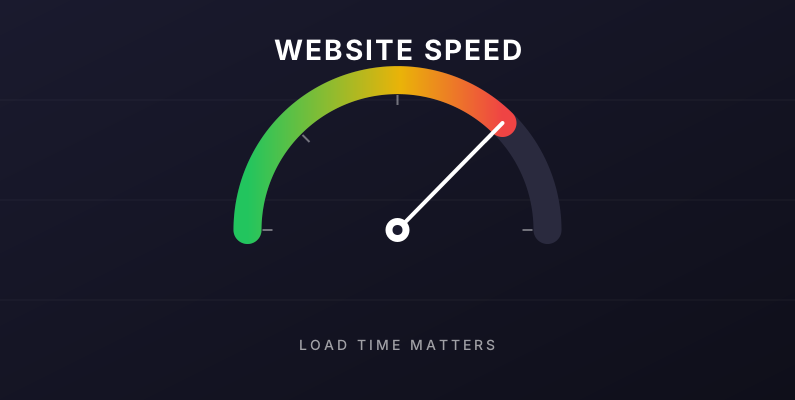
If your website takes more than three seconds to load, you have already lost over half of your visitors. That is not an exaggeration. Google's own research shows that as page load time goes from one second to three seconds, the probability of a visitor leaving increases by 32 percent. At five seconds, it is 90 percent.
For small businesses in Central Washington competing for every lead, a slow website is a silent killer. Let's look at why speed matters so much, how to tell if your site is slow, and what you can actually do about it.
Why Speed Affects Your Bottom Line
Google Ranks Fast Sites Higher
Since 2021, Google has used Core Web Vitals as a ranking factor. These are three specific measurements of how fast your site loads, how quickly it becomes interactive, and how stable the layout is as it loads. Sites that score poorly on Core Web Vitals get pushed down in search results — sometimes below competitors with weaker content but faster websites.
Visitors Leave Slow Sites Before They Load
You have probably done this yourself. You search for a local business, tap the first result, wait one or two seconds watching a blank screen, get impatient, tap the back button, and try the next result. For every second your site takes to load, you lose customers who never even saw your homepage.
Mobile Speed Matters Even More
Over 60 percent of web traffic comes from mobile devices, and mobile connections are often slower than desktop. Someone searching "plumber Wenatchee" from their driveway on a weak LTE signal is not going to wait. If your site is not optimized for mobile speed, you are invisible to the majority of your customers.
Fast Sites Convert Better
Speed does not just affect whether people stay — it affects whether they take action. Studies consistently show that faster sites have higher conversion rates. Forms get filled out more often, quote requests get submitted, and phone numbers get tapped. A half-second improvement in load time can increase conversions by 10 percent or more.
How to Check If Your Site Is Slow
You can test any website for free in under a minute:
- Google PageSpeed Insights — pagespeed.web.dev. Enter your URL and get a detailed score for both mobile and desktop, plus specific recommendations.
- WebPageTest — webpagetest.org. Tests your site from different locations and connection speeds.
- GTmetrix — gtmetrix.com. Shows a waterfall of every resource your site loads and how long each one took.
If your Google PageSpeed score is below 90 on mobile, you have work to do.
The Most Common Causes of Slow Websites
1. Bloated Page Builders
WordPress sites built with drag-and-drop page builders like Elementor, Divi, or WPBakery are notoriously slow. These tools add layers of CSS, JavaScript, and HTML that double or triple the size of every page. The site looks fine to build, but it performs terribly in production.
2. Unoptimized Images
A single unoptimized photo can be larger than the entire rest of your website combined. Images need to be:
- Sized correctly (not 4000 pixels wide when they display at 800 pixels)
- Compressed to remove unnecessary data
- Served in modern formats like WebP
- Lazy-loaded so only visible images load immediately
3. Too Many Plugins
Every WordPress plugin adds code that has to load on every page. Sites with 20+ plugins are common, and each one slows things down. The fix is usually ruthless pruning — or a custom-coded site that does not need plugins at all.
4. Slow or Cheap Hosting
Budget hosting often means your site is crammed onto a server with hundreds of other sites, all competing for resources. When traffic spikes on any of them, yours slows down too.
5. No Browser Caching
When someone visits your site, their browser can store images, fonts, and CSS so they do not have to download them again on the next page view. Many sites have no caching headers set, so every page view downloads everything from scratch.
What You Can Actually Do About It
If You Manage Your Own Site
Start with the easy wins:
- Compress your images. Tools like TinyPNG or Squoosh can cut image sizes by 60-80 percent without visible quality loss.
- Audit your plugins. Deactivate and delete anything you are not actively using.
- Install a caching plugin if you are on WordPress — WP Rocket, WP Super Cache, or W3 Total Cache.
- Upgrade your hosting if you are on the cheapest shared plan. Kinsta, WP Engine, and Flywheel are all faster options for WordPress.
If Your Site Is Built on a Page Builder
Page builders have a fundamental speed ceiling. Even with perfect optimization, they will always be slower than clean, hand-coded HTML. If speed matters to your business — and it should — it may be time to rebuild.
If You Want Speed Without the Hassle
Our websites are hand-coded from scratch. That means no page builders, no theme bloat, no 40 plugins fighting for resources. Every site we build loads in under two seconds, scores 95+ on Google PageSpeed Insights, and stays fast without ongoing tuning. You focus on your business; we focus on the code.
The Bottom Line
Website speed is one of the highest-impact improvements you can make to your business. Fast sites rank higher, keep more visitors, and convert better. Slow sites lose customers before they ever see what you offer.
If you are not sure where your site stands, run a PageSpeed Insights test right now. If the score is below 90, let's talk about what is possible with a faster site.
Get a free estimate for a custom, hand-coded website that is fast by default.